
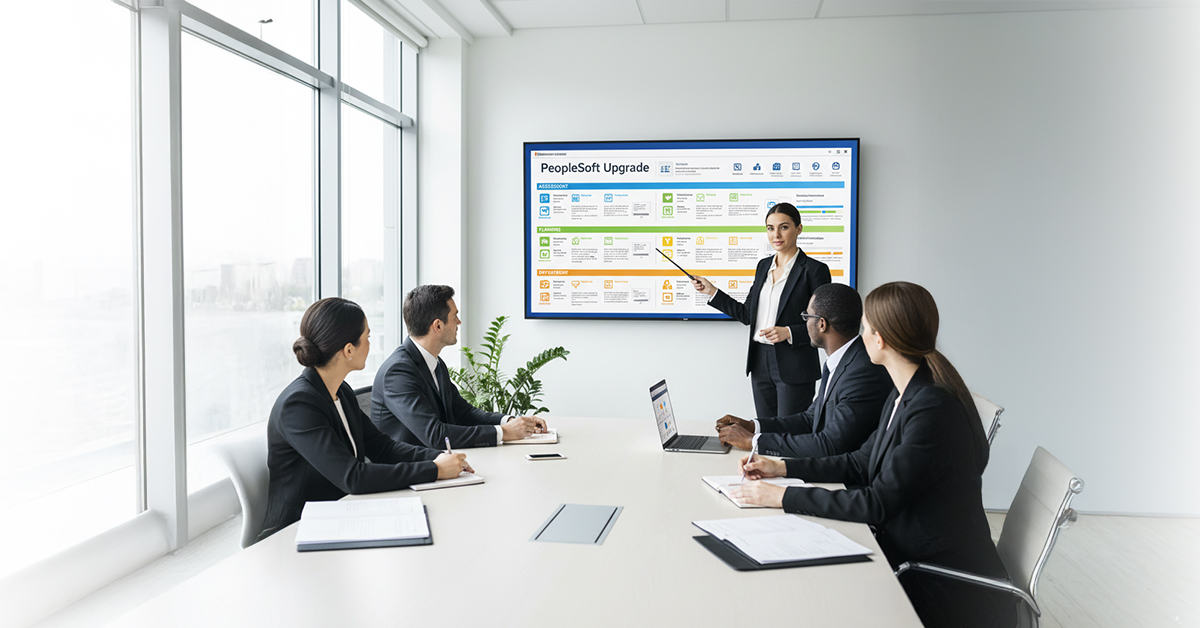
Step-by-Step Guide to Planning a PeopleSoft Upgrade
Organizations that rely on legacy systems for their ERP processes will need a PeopleSoft upgrade checklist as they expand and grow older due to customizations being added over time with increasing complexity and challenges surrounding integration. Many organizations lack clarity on how to plan for, sequence, and perform a successful PeopleSoft application upgrade process without significant disruption to their business and are unable to create a reliable long-term strategy for improving the reliability of their PeopleSoft solutions.
Upgrading successfully is not simply a matter of applying patches or bundles; it requires an accurate and clearly defined upgrade checklist, a thorough assessment of technical issues that create "technical debt." It also requires the use of an accurate and clearly defined PeopleSoft data migration plan and understanding of how functional changes will affect business operations. Studies show that failure to properly plan, perform adequate testing, and correctly communicate the need for increased functionality with the appropriate business units leads to hundreds of millions of dollars in wasted expenses due to unsuccessful ERP upgrades.
In this blog, we break down the step-by-step approach that enterprises should follow while planning their PeopleSoft modernization initiative - backed by insights from DPR Solutions Inc., one of the Best PeopleSoft Consulting Services in Virginia for large-scale ERP transformations.
What Is a PeopleSoft Upgrade?
The PeopleSoft Upgrade is a formalized method for updating the ERP application to a current and supported version of PeopleSoft by way of designating specific steps to follow, including checklists, a strategy for testing the application, and a plan for migrating and converting any necessary data from the older version of PeopleSoft.
By upgrading your PeopleSoft application, improvement of the system performance but also enhance its security while at the same time decreasing technical debt. In addition, you will also be able to maintain your organization's current alignment with its business requirements.
Why Do PeopleSoft Upgrades Become Challenging?
Organizations are often confused about how exactly upgrading PeopleSoft works and the process for getting it done. Organizations tend to underestimate the extensive amount of effort that is involved in upgrading to PeopleSoft and the challenges, such as custom enhancements, third-party relationships, workflows related to third-party applications, and obsolete infrastructure. In most organizations, skipping major steps throughout the upgrading process will result in regressions, non-functioning test cases, and prolonged outages.
Companies that fail to document their PeopleSoft Upgrade Checklist lack an understanding of the functional changes between versions, as well as available opportunities for adopting new functions with each upgrade. Another serious issue to be considered is that most Enterprises do not have a sufficiently advanced testing approach for the PeopleSoft application upgrade process, which leads to more significant problems post go-live and will subsequently increase costs when rework becomes necessary.
Strategic planning becomes essential to align IT, functional teams, business owners, and downstream systems before execution begins.
Step-by-Step Guide to Planning a PeopleSoft Upgrade
Every upgrade initiative should begin with a technical and functional inventory of the existing environment. This is where the structured PeopleSoft upgrade checklist becomes indispensable, guiding teams through the gaps, risks, and required configuration changes. Below are the core stages enterprises should follow - each tightly aligned with recognized Best practices for PeopleSoft upgrade.
1. Conduct a System Assessment
Begin by documenting your current application version, supported platforms, applied bundles, and customizations. This foundational step anchors all the steps for PeopleSoft upgrade, identifies unsupported components, and flags future incompatibilities.
2. Analyze Customizations and Retrofits
Most issues during an upgrade stem from outdated modifications, especially when organizations have not revisited them in several cycles. Assess which customizations should be retired, refactored, or rebuilt. This analysis also determines the scope of your PeopleSoft application upgrade process.
3. Build a Detailed Upgrade Roadmap
Your roadmap should clearly outline dependencies, testing timelines, integration checkpoints, and your PeopleSoft data migration strategy. Aligning migration sequencing with business cycles minimizes disruptions for critical operations.
4. Refresh Development and Testing Environments
A clean, refreshed sandbox environment enables teams to validate new features early. This step is essential for refining a strong PeopleSoft upgrade testing strategy, identifying regressions, and validating security patches.
5. Execute Functional and Technical Test Cycles
Testing remains the backbone of Best practices for PeopleSoft upgrade. Conduct integration testing, user acceptance testing, and performance validation. Re-run test cycles until all issues are resolved to prevent production impacts.
6. Plan for Cutover and Migration
Your cutover plan should specify timed steps, freeze windows, resource assignments, rollback provisions, and checkpoints for your PeopleSoft data migration strategy. Orchestrating data validation during this window ensures a smooth transition.
7. Post-Upgrade Optimization
Once the upgrade is live, monitor performance, evaluate the adoption of new features, and refine configurations. Completing these steps for PeopleSoft upgrade helps reduce long-term operational risk and ensures stability.
How to Avoid Common Upgrade Pitfalls?
Upgrades fail when organizations ignore planning dependencies or underestimate functional impacts. A structured PeopleSoft upgrade checklist helps eliminate ambiguity and ensures teams stay aligned around delivery goals. Below are targeted recommendations:
- Align IT and Business Teams Early: The IT and Business Teams must come together early in the process of both functional owners and core modules that are being changed for the PeopleSoft application upgrade process. The collaboration at a very early stage will save rework and speed up the time it takes to adopt new products.
- Strengthen Testing and Automation: Companies tend to overlook regression test coverage when they are upgrading their PeopleSoft systems, which leads to subsequent delays in the upgrade process. To ensure that a stable environment is maintained throughout the upgrade testing phase, there should be a comprehensive PeopleSoft upgrade testing strategy consisting of workflow validation, regression cycles, and security testing.
- Develop a Robust Data Migration Approach: A documented PeopleSoft data migration strategy is essential for ensuring record accuracy, historical continuity, and integration consistency. Migrating incomplete or incompatible data introduces severe risks post-go-live.
- Adopt Industry Best Practices: Adhering to Best practices for PeopleSoft upgrade, such as version alignment, minimizing customizations, and leveraging delivered functionality, lowers technical debt and long-term maintenance costs.
- Engage Skilled Enterprise Consultants: Inadequate expertise remains one of the top reasons upgrades fail. Working with the Best PeopleSoft Consulting Services in Virginia, such as DPR Solutions Inc., ensures architectural alignment and faster execution.
Best Practices to Strengthen Your Upgrade Strategy
Modern upgrade programs require technical expertise, automation, and enterprise alignment. Below are practices that significantly increase upgrade success rates:
- Maintain a living PeopleSoft upgrade checklist that evolves with each evaluation cycle.
- Align your steps for the PeopleSoft upgrade with module dependencies and business calendars.
- Document the PeopleSoft application upgrade process thoroughly for audit and repeatability.
- Prioritize functional and technical test automation as part of your PeopleSoft upgrade testing strategy.
- Enforce a clean, version-controlled PeopleSoft data migration strategy that ensures referential integrity.
- Follow Best practices for PeopleSoft upgrade, especially around monitoring, security validation, and feature enablement.
How DPR Solutions Supports PeopleSoft Upgrades?
Enterprises often seek expert support because PeopleSoft upgrades involve deep coordination across modules, integrations, databases, and infrastructure. DPR Solutions Inc., recognized among the Best PeopleSoft Consulting Services in Virginia, brings specialized methodology, hands-on delivery experience, and industry-driven insight.
How DPR Solutions Adds Value?
- End-to-End Upgrade Execution: DPR Solutions Inc. supports the full lifecycle—from assessment to deployment, ensuring your steps for PeopleSoft upgrade remain consistent and risk-free.
- Technical and Functional Optimization: Our consultants refine retrofits, validate module behavior, and review configurations, strengthening the PeopleSoft application upgrade process.
- Testing Governance and Automation: We build structured PeopleSoft upgrade testing strategy frameworks that streamline test cycles and reduce manual errors.
- Data Migration and Integrity: DPR Solutions architects a robust PeopleSoft data migration strategy to ensure clean transitions across environments.
- Continuous Improvement and Support: We follow Best practices for PeopleSoft upgrade to ensure long-term stability, better performance, and maximum return on investment.
Final Insights for Planning Your PeopleSoft Upgrade
For a PeopleSoft upgrade to produce maximum results, the upgrade must be planned out with caution, follow the PeopleSoft upgrade checklist, have technical accuracy as well, and have the right tools in order to allow for the easiest and least disruptive migration. The right tools include a specific set of guidelines on how to perform a PeopleSoft upgrade, an outlined PeopleSoft application upgrade process, a well-thought-out PeopleSoft data migration strategy, and adequate training for employees in order for them to effectively carry out their responsibilities. Organizations that partner with recognized experts, such as DPR Solutions Inc., which has been named one of the Best Consultants for PeopleSoft in Virginia, can have increased confidence and efficiency when upgrading their systems because of their experience and expertise.
Looking for the best PeopleSoft consulting services in Virginia? Contact DPR Solutions Inc. to plan and deliver a successful, stress-free upgrade.





0 Comments